
B.6 Feedback / Support
The Feedback / Support page allows parents to send messages, questions, or suggestions directly to the Homework Buddy team. This serves as the primary communication channel between parents and the platform's administrators.
Submitting Feedback
Parents can compose and submit a new message via a form containing the following fields:
- Subject: A brief title or topic of the message.
- Category: The type of submission (e.g., Question, Bug Report, Suggestion, Other).
- Message: The main body of the feedback or inquiry.
Once submitted, the message will be reviewed by the Homework Buddy staff, who may respond accordingly. The response would then be available when viewing the message details.
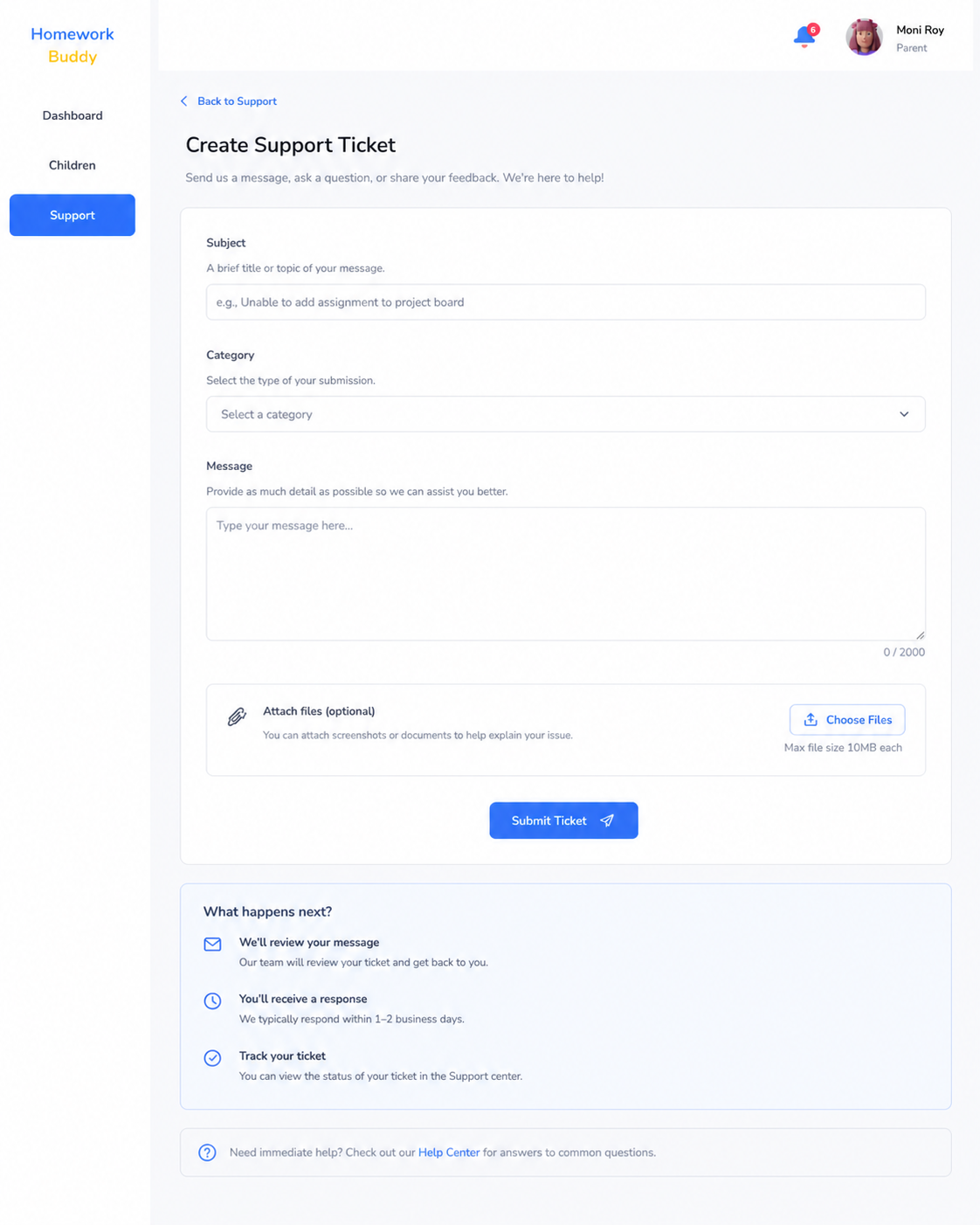
Image B.6.1 Create Feedback/Ticket Page
Detail Feedback/Support Page
ashagsAHSJ
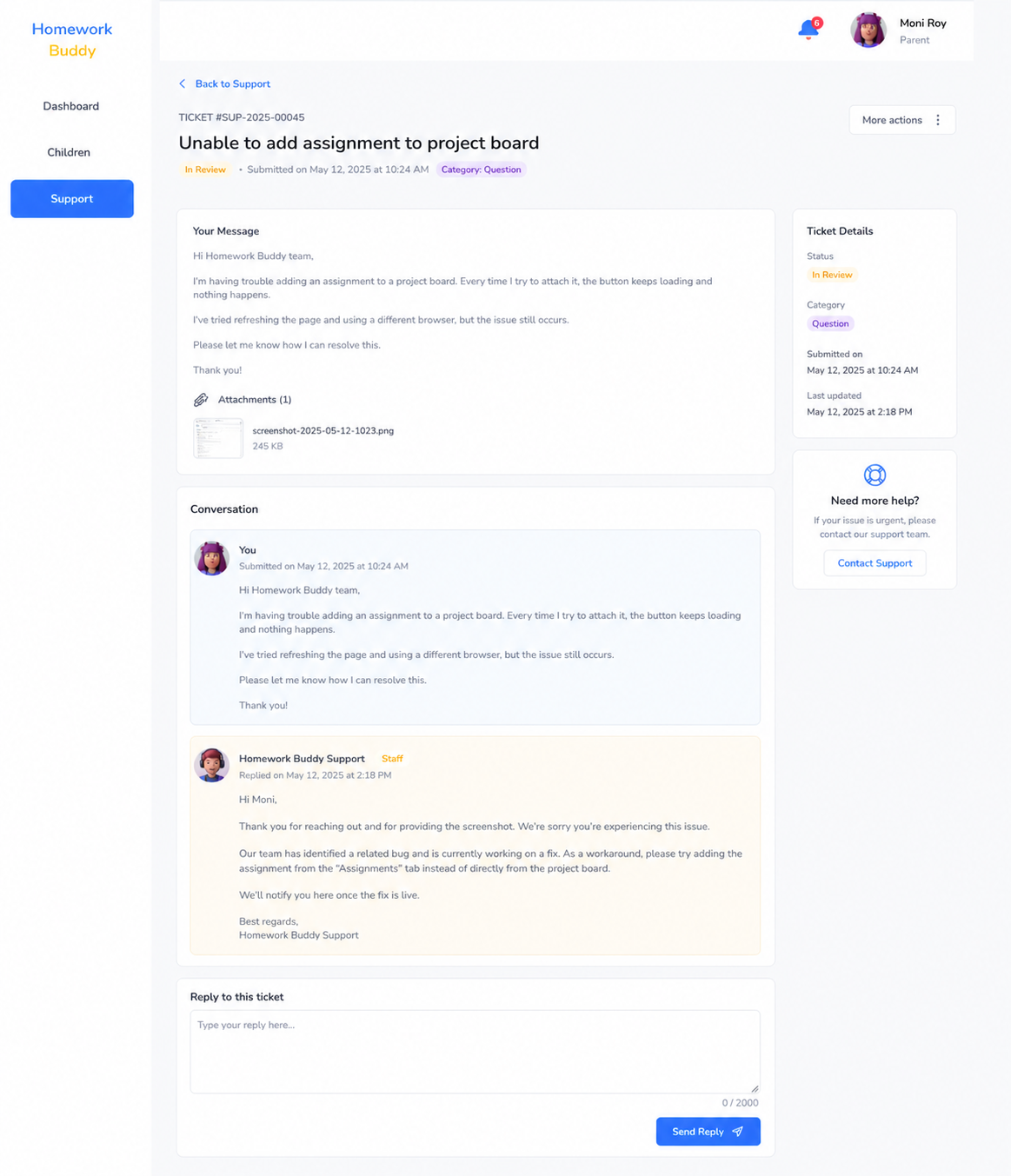
Image B.6.2 Detail Feedback/Support Page
Feedback history (index page)
The page also displays a list of all previously submitted feedback from the parent, where each entry shows:
- Subject and category
- Submission date
- Current status (e.g., Open, In Review, Resolved)
- Staff reply, if any
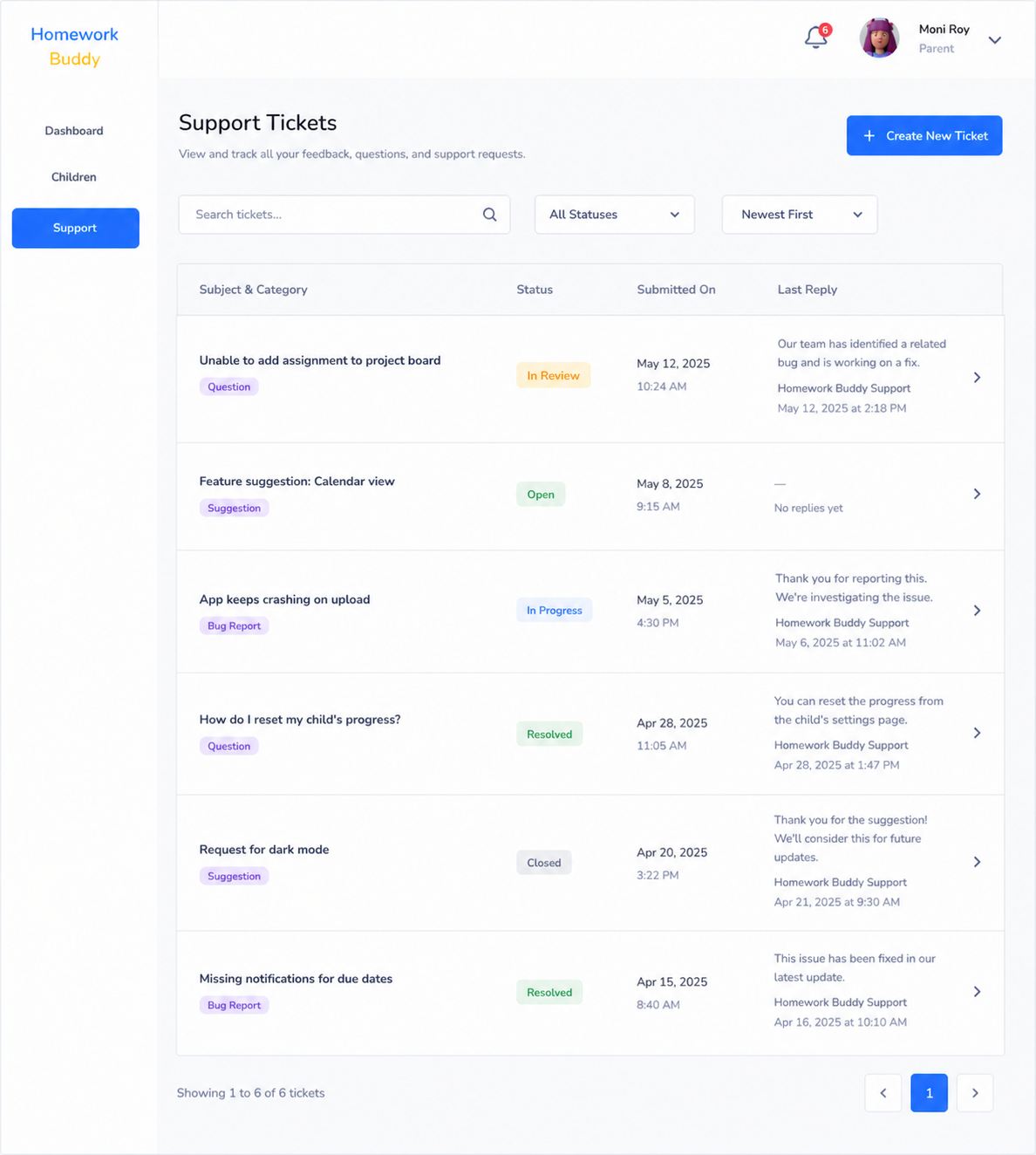
Image B.6.3 Feedback/Support Index Page
Parents can tap on any entry to view its full details and any responses from the Homework Buddy team.
Note: This feature is intended for general inquiries and feedback only. For urgent matters, parents are advised to contact support through the provided external channels.