
D.6 Contents
Contents feature allows, primarily for the in-house Admin(s) - not the staff, to manage contents in the Homework-Buddy web app.
I. Timeout activities
Timeout activities are managed contents that students can pick when they choose "timeout". Example for the activities: Atmung, Journaling, Tapping, and so on. The content editor fields are:
- Icon: image upload - select and upload the appropriate icon (preferred SVG or vector image).
- Short title: text input - will be used as button's text, e.q. during check-in or timeout-island.
- Title: text input - the actual title (longer version) when the activity content is being shown.
- Body: rich text editor - to build the main content of this activity.
- Background color: color picker input - customizable background color when content is being displayed.
- Check-in types: multiselect - select one or more check-in types this activity belongs to (happy, optimistic, etc).
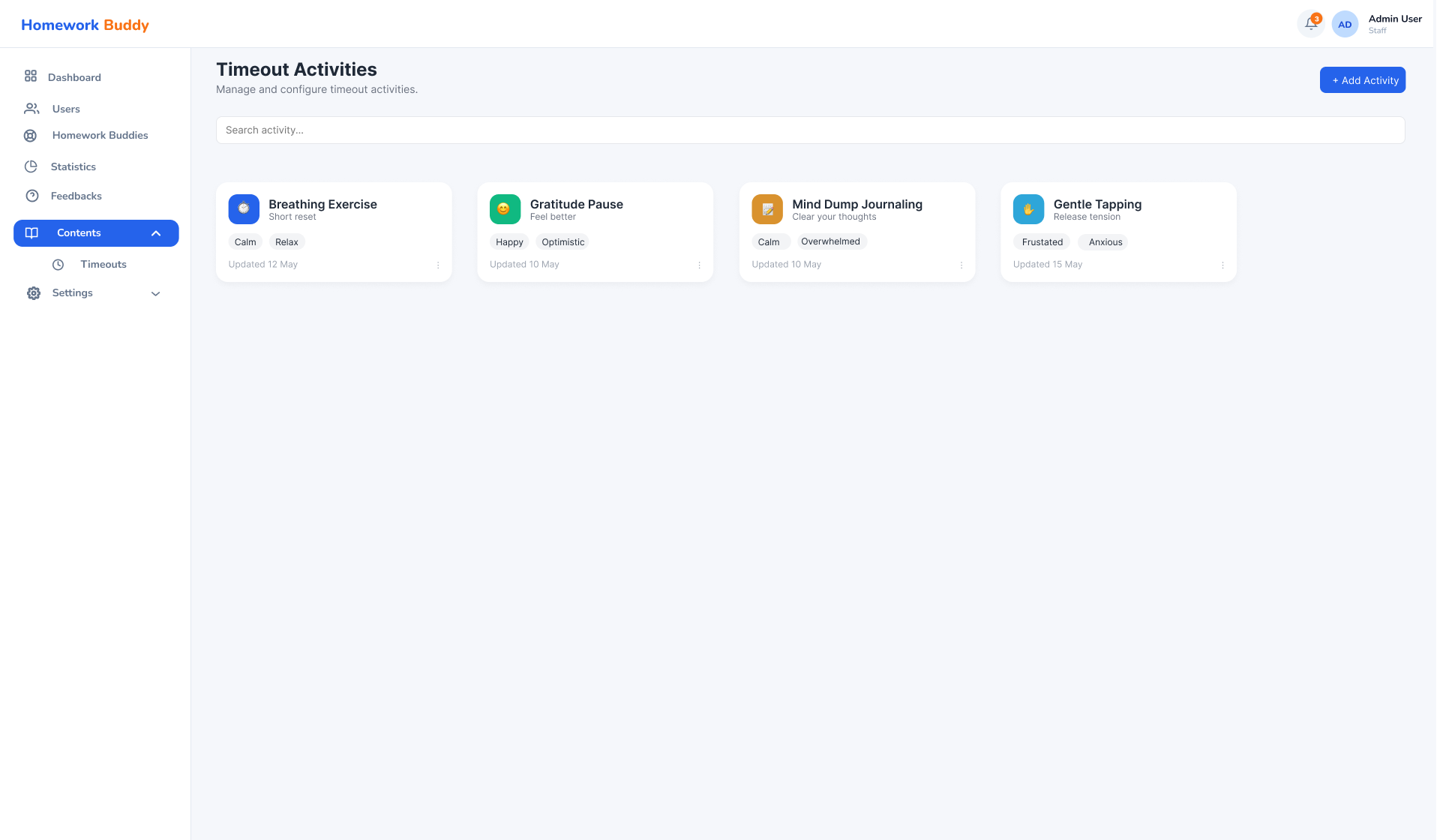
Image D.6.1 Timeouts Index Page
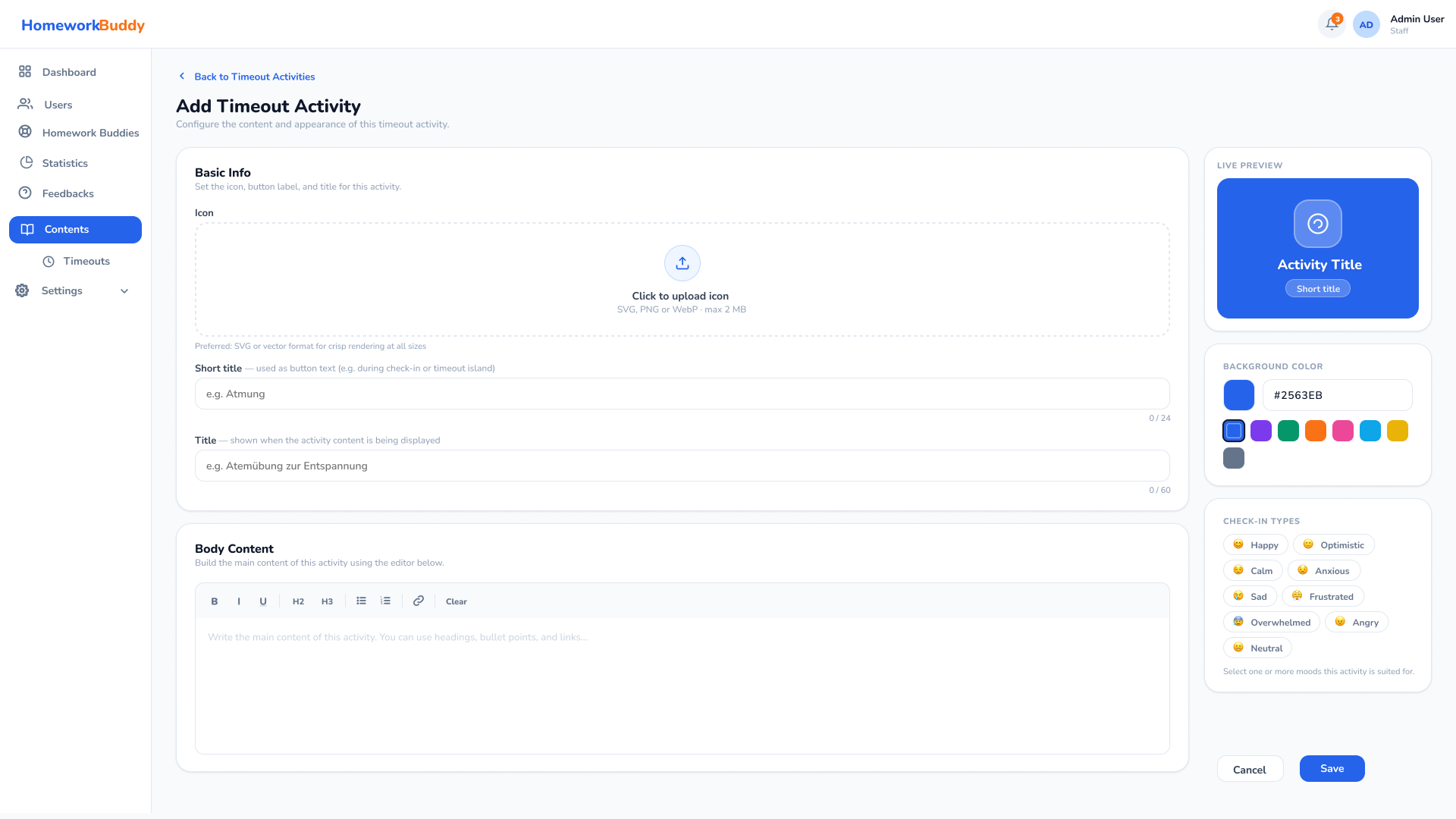
Image D.6.2 Add Timeout Activity