
B.10 Timetable & Study Times
Timetable Management Overview
This page allows parents to create and manage a child’s weekly study timetable using a drag-and-drop calendar system similar to Google Calendar. Subjects and study sessions can be organized visually across different days and time slots.
Parents can organize:
- school subjects
- study sessions
- learning schedules
- packing-related activities
using an interactive weekly calendar.
Added some features based on our discussion and request above, other than that actually still the same as the previous system:
Settings Cards
1. Fix Minimum Daily Study Time
Allows parents to define the minimum required daily study duration.
Features;
- Dropdown selection for study duration
- Helps maintain consistent study habits
- Example values:
- 30 min
- 1 hour
- 2 hours
2. Allow Child to Modify Timetable
Enables children to edit or adjust their own timetable.
- Toggle ON/OFF control
- Allows schedule flexibility
- Supports approved timetable changes
3. Schoolbag-Packing Helper
Automatically generates packing suggestions based on scheduled subjects.
- Detects subjects placed in timetable
- Suggests required school items
- Helps children prepare school bags
Timetable Calendar
The timetable system behaves similarly to Google Calendar with a weekly calendar layout.
Weekly View
Displays:
- days of the week
- hourly time slots
- scheduled subjects/sessions
- Previous week
- Next week
- Today shortcut
View Selector
Allows switching calendar view:
- Week view
- Future expandable views (optional)
Sync to WebUntis
Allows timetable synchronization with WebUntis
Features
- Import school schedules automatically
- Reduce manual timetable setup
- Keep schedules updated
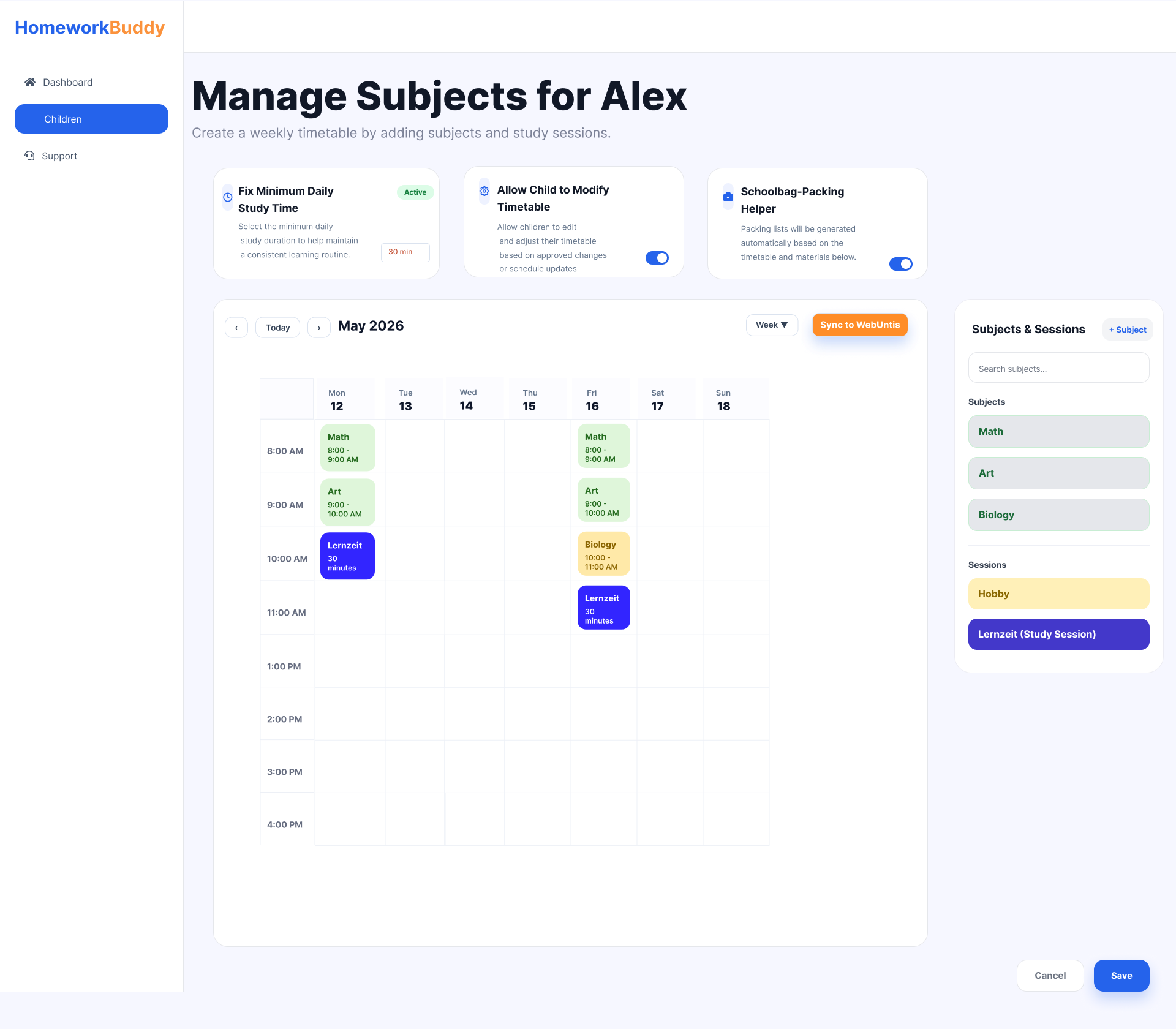
Image B.10.1 Manage Child's Subjects

Image B.10.2 Pop-up to add time for study
This section is only available when the Schoolbag-Packing Helper feature is enabled. It is designed to help parents organize their child’s weekly study schedule simply and interactively. At the center of the page, there is a weekly timetable displaying schedules from Monday to Sunday based on study hours. Parents can easily add subjects or study sessions into specific time slots using a drag-and-drop system, making schedule management faster and more intuitive.
On the right side, the Subjects & Sessions panel contains a list of subjects and learning activities such as Math, Art, Biology, and additional study sessions. These items can be dragged directly into the timetable to create a personalized learning schedule.
A pop-up configuration feature allows users to manage school bag items for each subject on a specific day, including textbooks, notebooks, calculators, or lab equipment. This helps parents ensure that children are properly prepared for school every day.
Additional features include:
- Drag-and-drop scheduling for quick planning
- Weekly timetable view from Monday to Sunday
- Subject and session management panel
- Manage school bag items for each subject on a specific day
- Search and quick-add functionality for subjects
- Save and clear actions for easy schedule management
Overall, this page is designed to provide parents with an organized and user-friendly way to manage their child’s academic activities, weekly study plans, and daily school preparation.
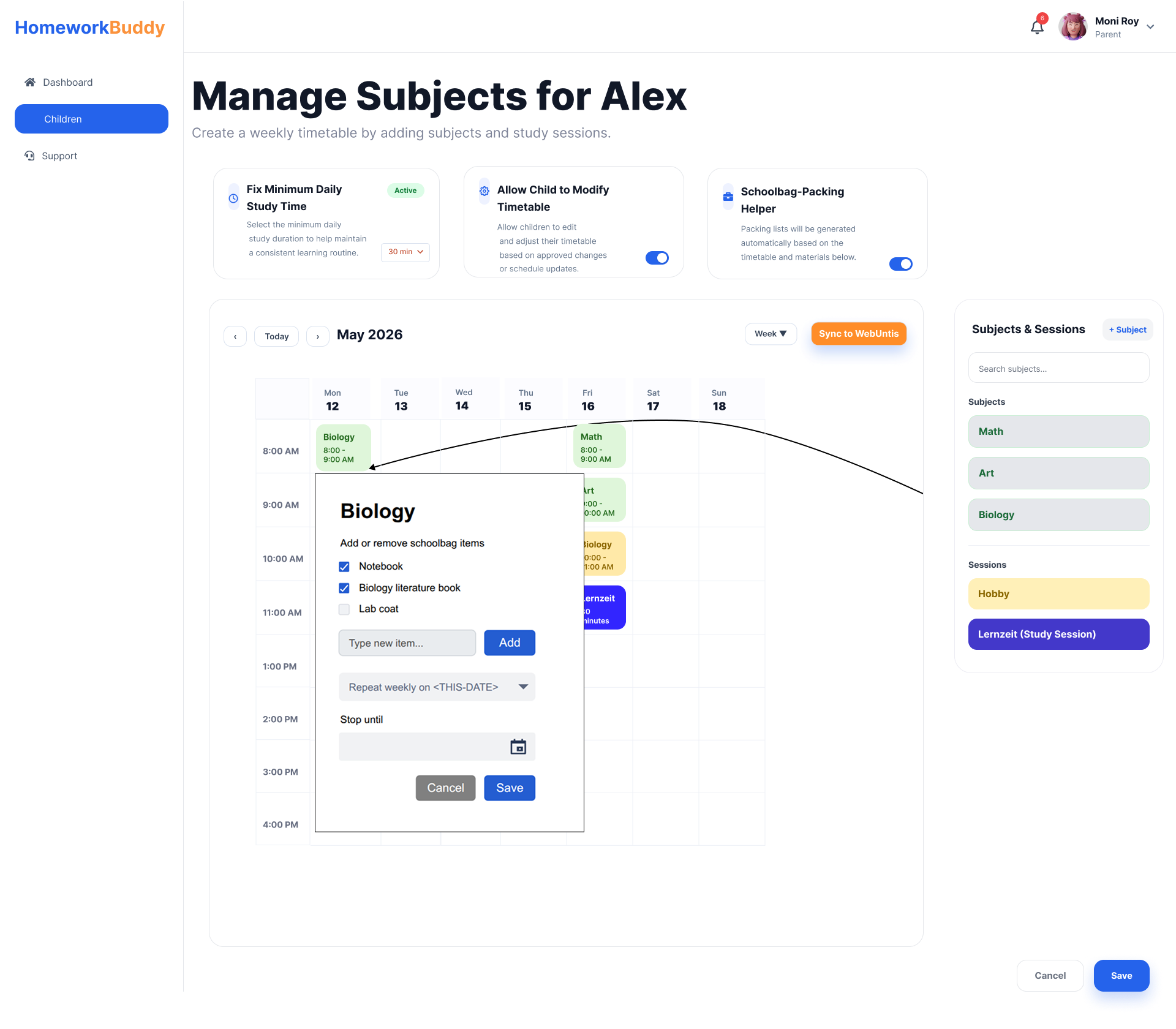
Image B.10.3 Pop-up Default Weekly Subject Repetition
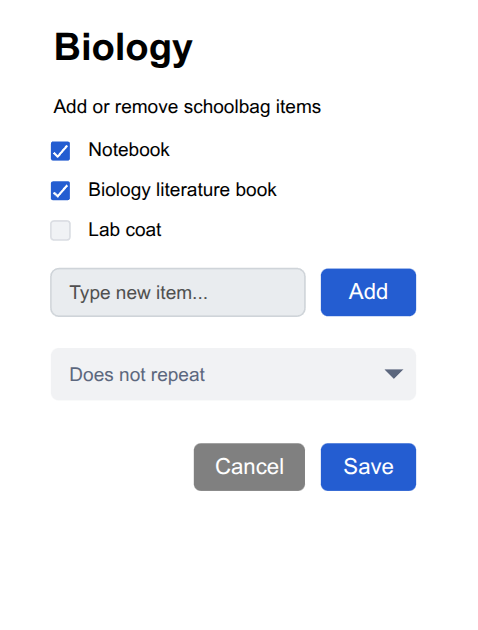
Image B.10.4 Pop-up with no repetition
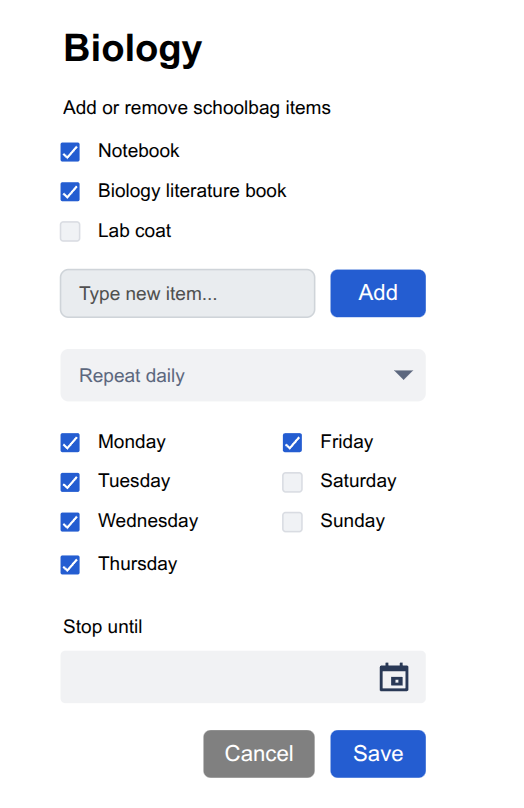
Image B.10.5 Pop-up Repeat Based on Selected Days
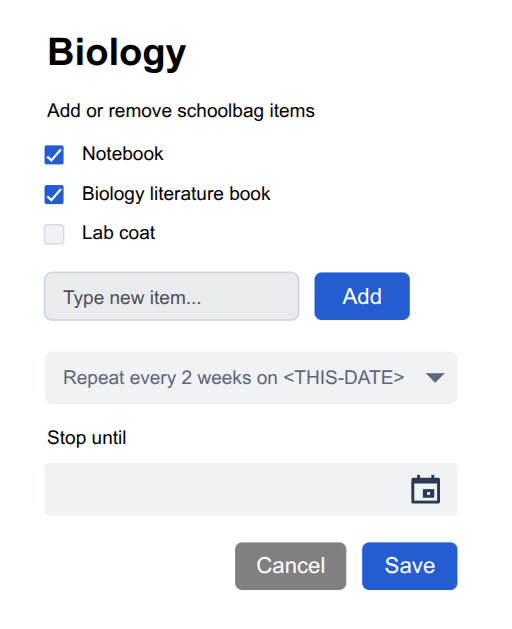
Image B. 10.6 Pop-up Repeat Frequency Settings
No comments to display
No comments to display