B.1 Onboarding
1. Halaman Login Page
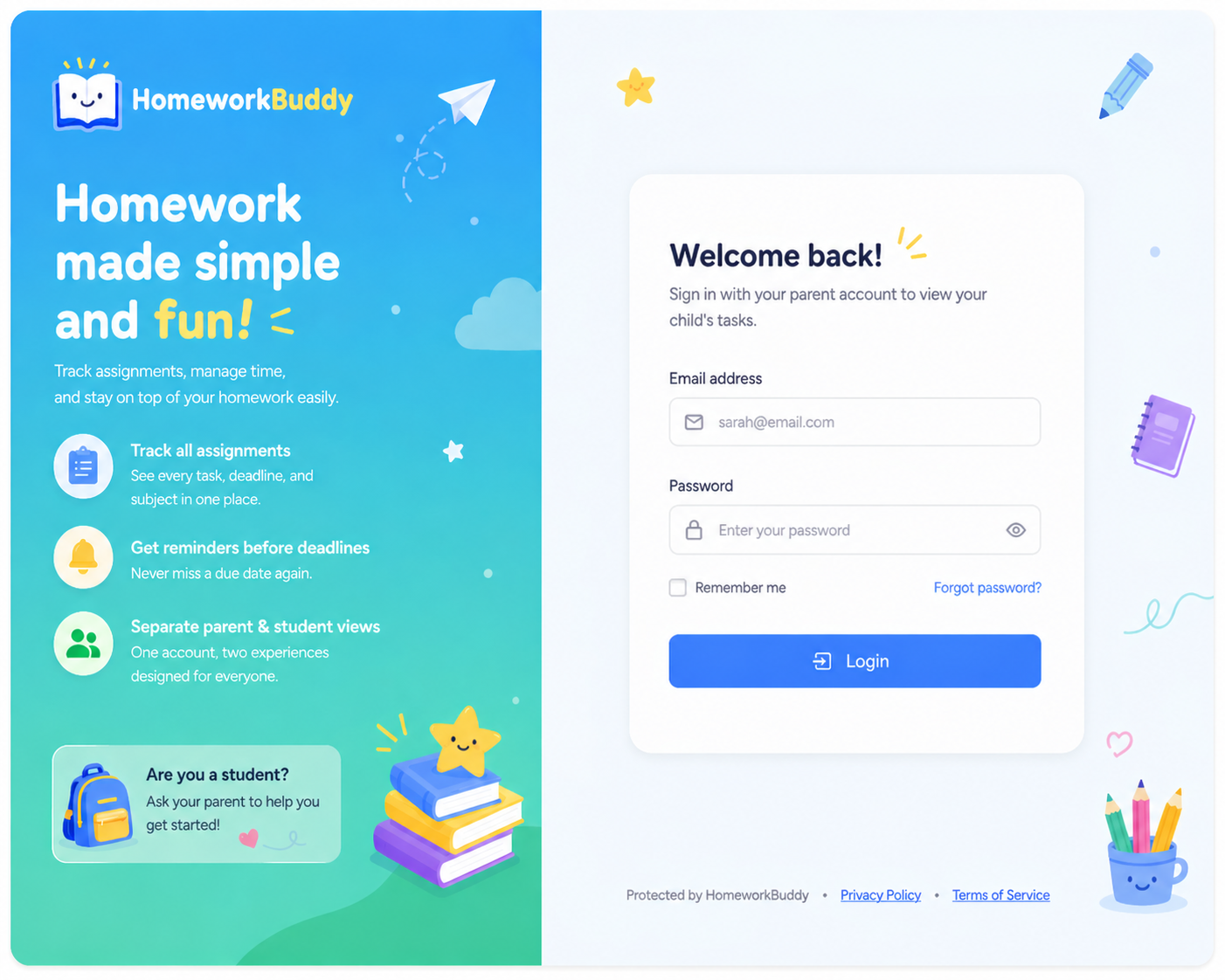
HalamanThis inipage digunakanis olehused penggunaby users (parent)parents) untukto masukaccess kethe dalamsystem sistemby denganentering memasukkantheir registered email danaddress and password.
The page layout consists of email and password yanginput telahfields, terdaftar.along Tersediawith juga opsia login menggunakanaction akunbutton. Google.
Tampilanit halamanincludes terdiri dari form input email dan password, pilihan role (parent/student), serta tombol aksi login. Selain itu, terdapat fitura “remember me” danoption navigasiand kenavigation halamanto lupathe password.forgot Lihatpassword Gambarpage. See Image 1.
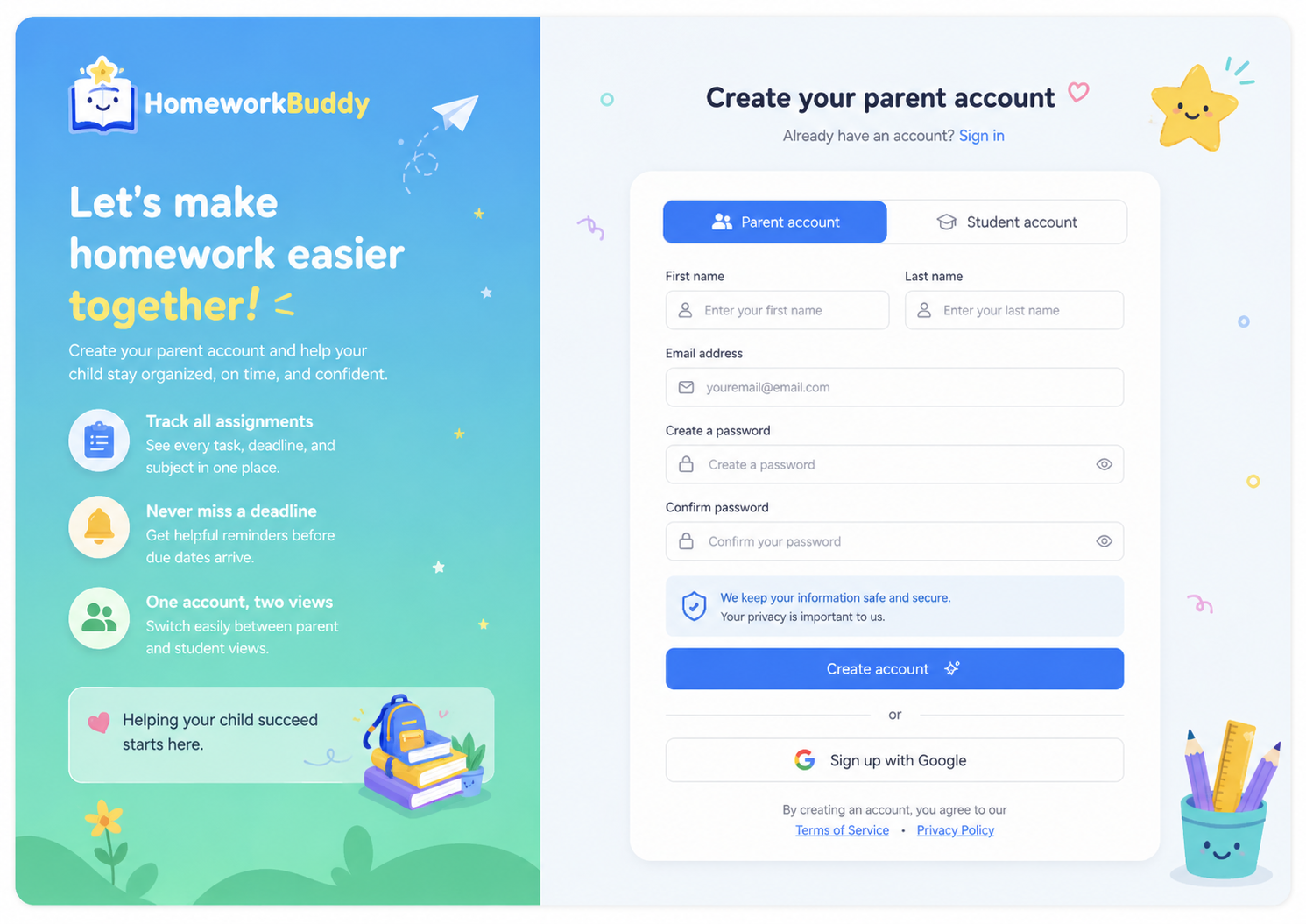
2. HalamanRegistration RegistrasiPage (Sign Up Parent)
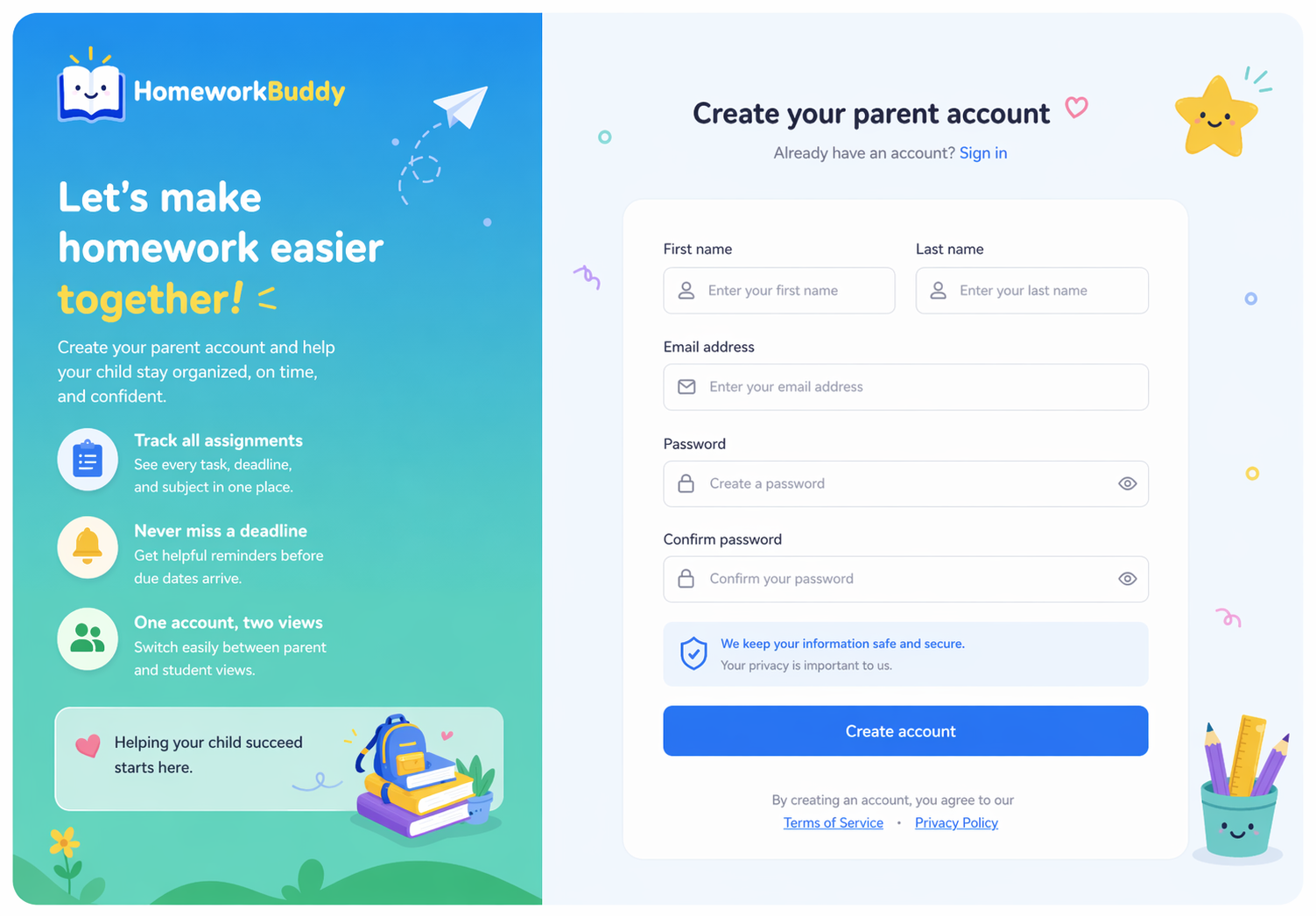
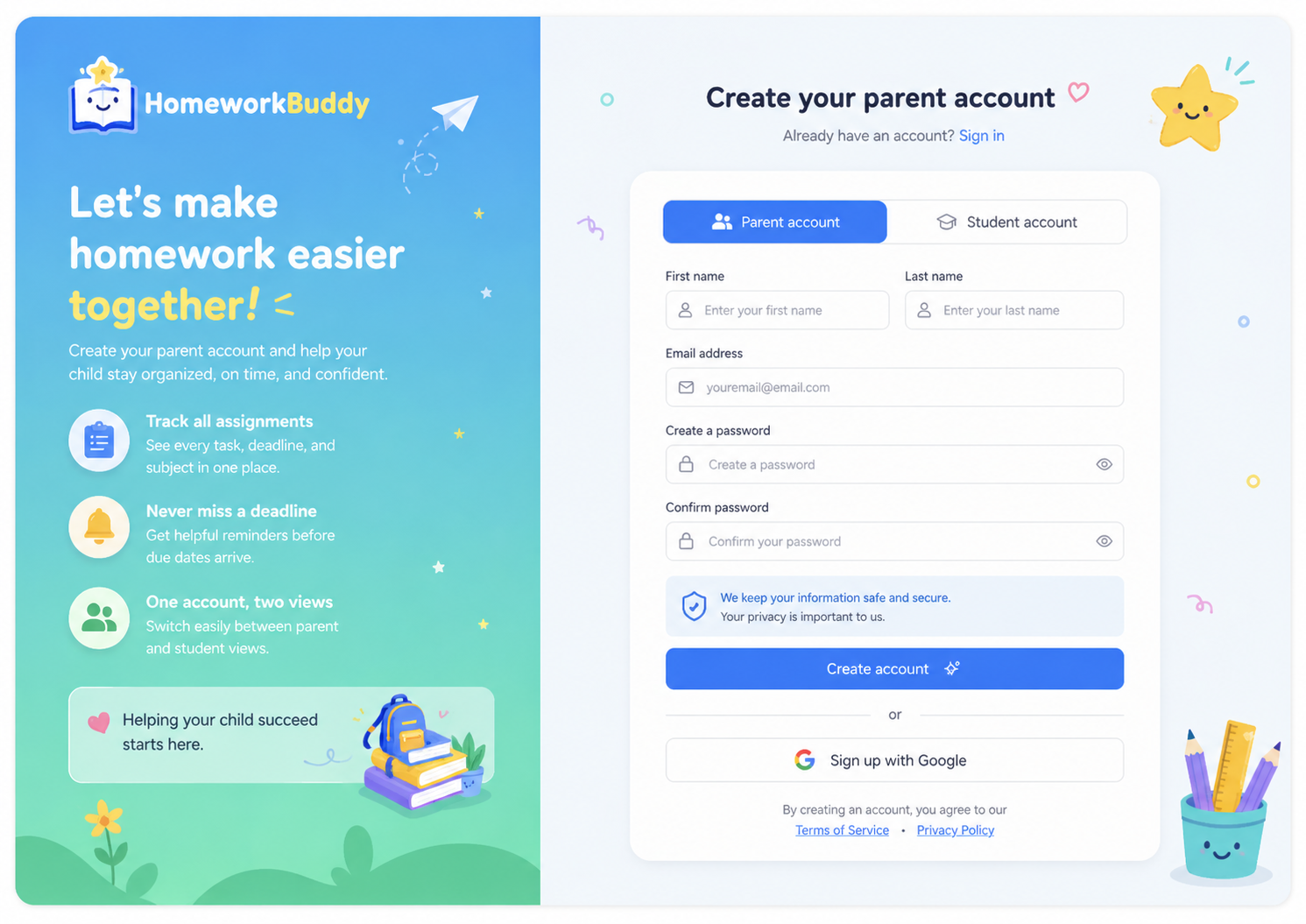
HalamanThis inipage digunakanis olehused penggunaby untukusers membuatto akuncreate a new parent baruaccount sebelumbefore dapataccessing mengaksesthe sistem.system.
TampilanThe halamanpage berupacontains a form yang terdiri dariwith input namafields depan,for namafirst belakang,name, last name, email, password, danand konfirmasipassword password.confirmation. TerdapatAfter jugasuccessful opsiregistration, pendaftaranusers menggunakanwill akunbe Google.directed Setelahto berhasilthe mendaftar,onboarding penggunaprocess. akanSee diarahkan ke proses onboarding. Lihat GambarFigure 2.
3. Halaman LupaForgot Password Page
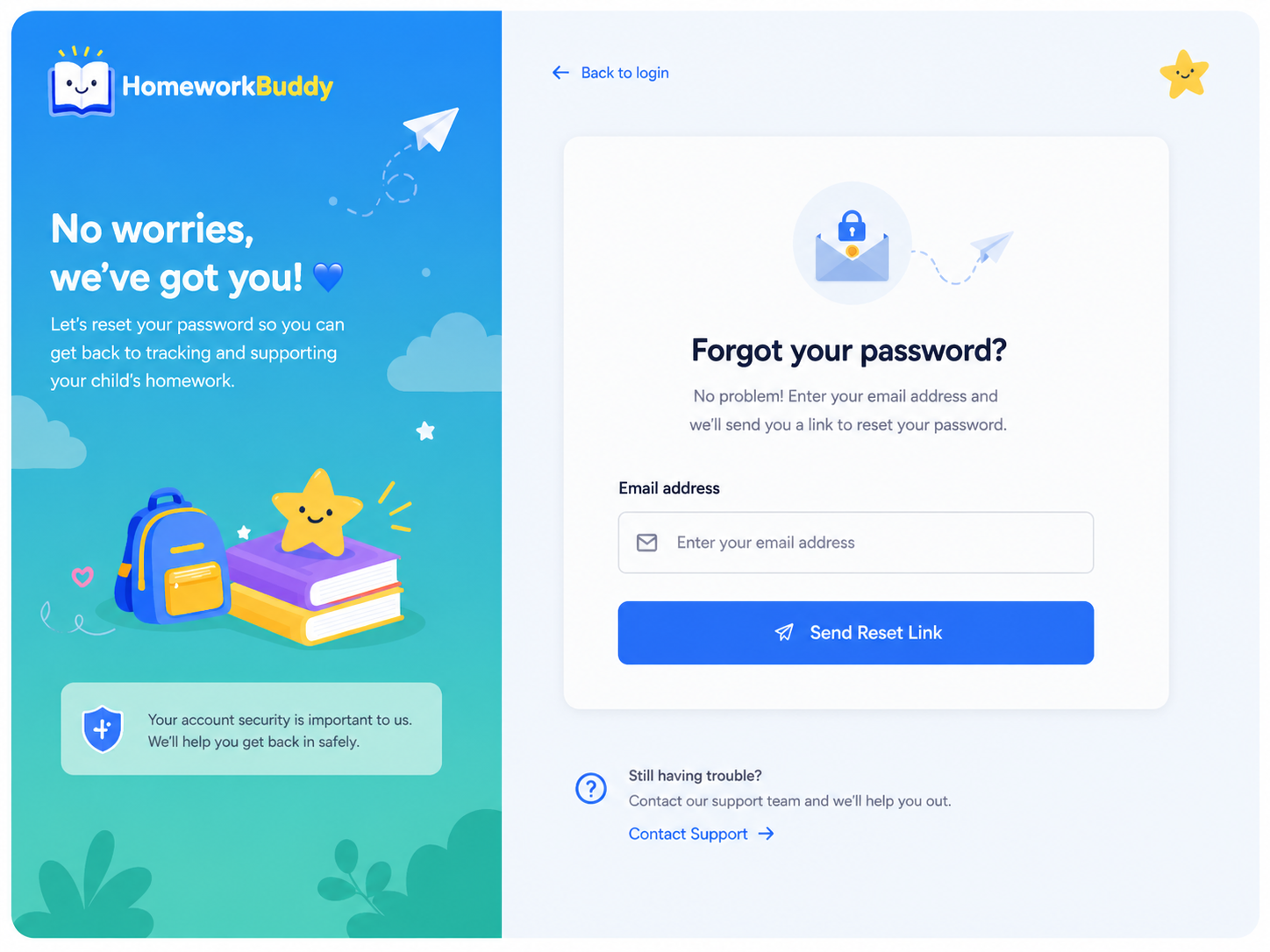
HalamanThis inipage digunakanallows olehusers pengguna untuk melakukanto reset their password apabilaif lupathey kataforget sandi.it.
PenggunaUsers dimintaare untukrequired memasukkanto alamatenter their registered email yangaddress, terdaftar,after kemudianwhich sistemthe akansystem mengirimkanwill tautansend a password reset passwordlink melaluivia email. HalamanThe inipage jugaalso menyediakanprovides navigasinavigation kembaliback keto halamanthe login.login Lihatpage. GambarSee Figure 3.