B.1 Onboarding
1. Login Page
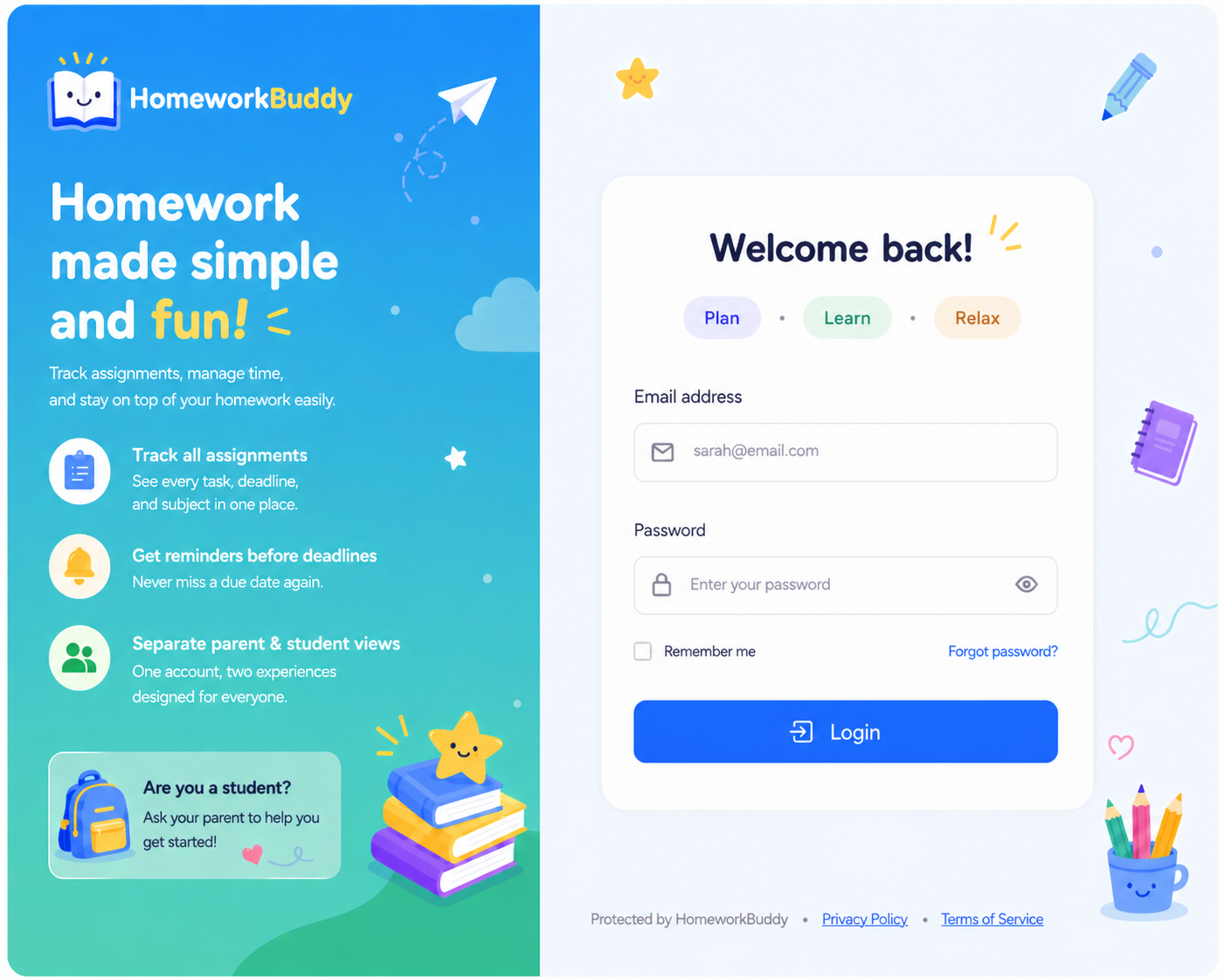
This page is used by users (parents) to access the system by entering their registered email address and password.
The page layout consists of email and password input fields, along with a login action button. Additionally, it includes a “remember me” option and navigation to the forgot password page. See Image 1.
2. Registration Page (Sign Up Parent)
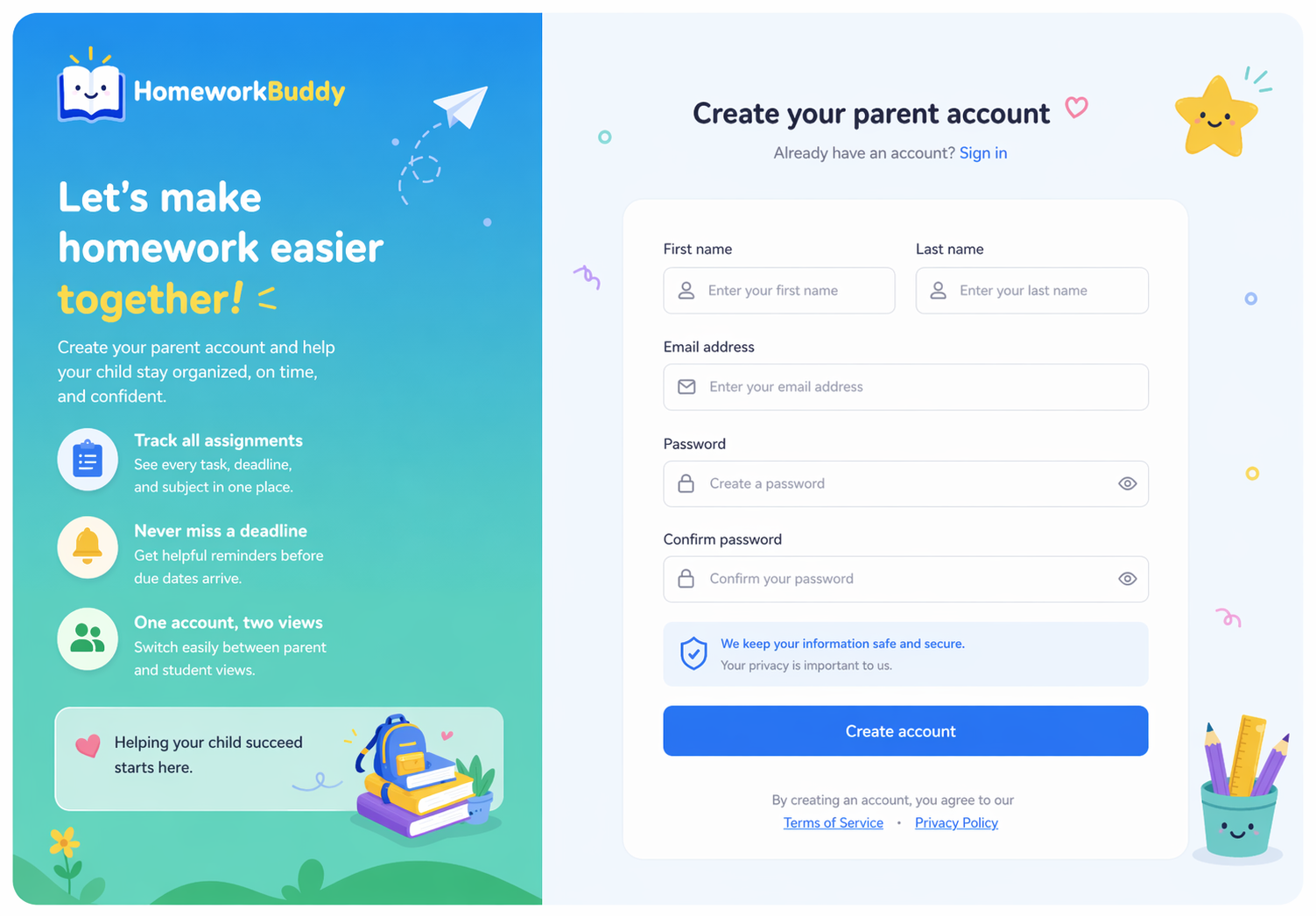
This page is used by users to create a new parent account before accessing the system.
The page contains a form with input fields for first name, last name, email, password, and password confirmation. After successful registration, users will be directed to the onboarding process. See Figure 2.
3. Forgot Password Page
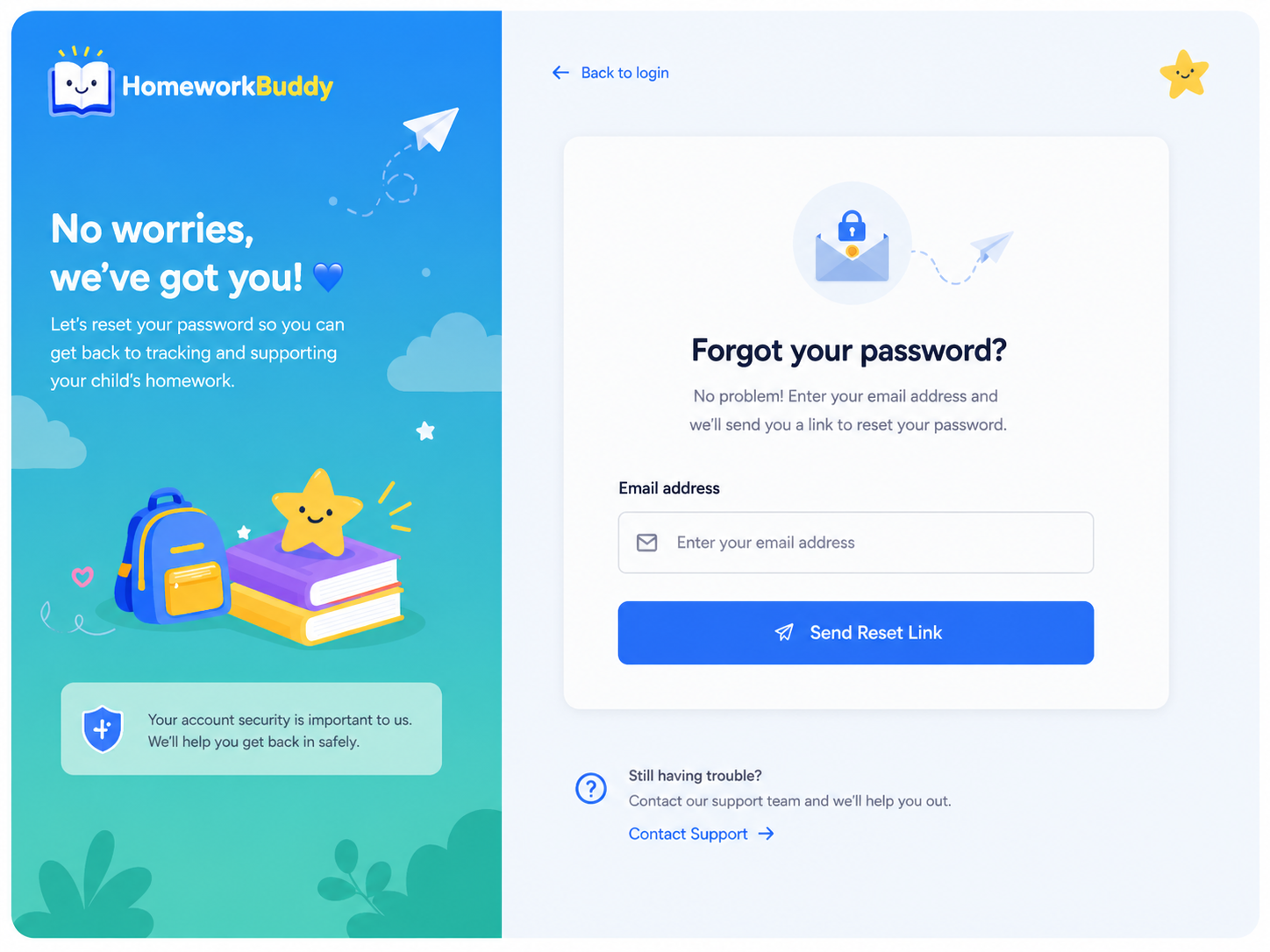
This page allows users to reset their password if they forget it.
Users are required to enter their registered email address, after which the system will send a password reset link via email. The page also provides navigation back to the login page. See Figure 3.